


The Role of Application Containers in Modern IT
Every IT team has felt the drag of recurring helpdesk support tickets caused by problematic application installs and updates. An installation fails due to a missing dependency, or worse — it disrupts another application already in use. Perhaps an application was working just fine but suddenly it began to throw an error due to key configuration corruption. Hours later, the IT team has remote-connected into the machine, gathered logs, reinstalled the app, and tried to get the user back to work. It is likely support teams who are under time pressure will opt to re-image the employee’s desktop as a “quick fix,” but this results in lost productivity as the desktop takes time to rebuild and become stable once more. Plus, the same issue could still return in the near future.
The reality is traditional software installation models are fragile. They depend on vendor-supplied installers that often do not follow best practices for the installation technology of choice resulting in overwriting shared files, adding or removing registry entries, or leaving remnants behind when uninstalled. Even when they succeed, the next update or patch can break the delicate balance.
Modern IT organizations need a better way; one that removes these points of failure altogether.
Leverage Containers for Smarter Application Delivery
Application containers eliminate the root causes of these problems. Instead of installing applications directly onto the operating system, containers encapsulate them in isolated container sandboxes that can be deployed dynamically to employees.
Cloudpaging application containers enable applications to be packaged once and delivered anywhere without traditional installation. Each container can run as if it’s locally installed and interact with the local OS and applications while maintaining a level of isolation to protect against potential conflicts. This protects the integrity of your other applications and local system.
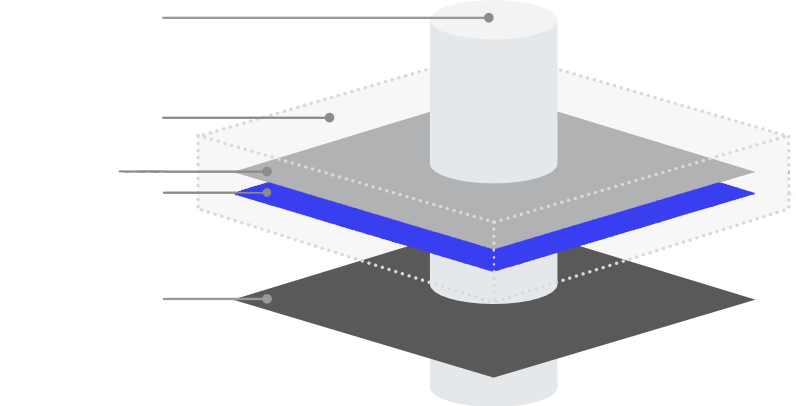
Containers have built a solid reputation amongst infrastructure teams for the ability to deliver everything an application requires in a container that can be delivered to any machine. Cloudpaging application containers extend these principles to Windows applications. This means you can confidently deploy virtually any Windows application to any Windows desktop and it will work consistently regardless of the changing state or configuration skew of desktops over time.
Clean, Predictable Updates Every Time
Updates are another major source of tickets in traditional environments. An application patch delivered with vendor installation media that uses an embedded custom installer might fail halfway through, leaving the application in a broken state. Often an installer will uninstall a previous version of an application before installing the new version, which should work in theory for the update but if you need to roll back to a previous version and the uninstall leaves file behind that may cause conflicts and errors when trying to use the older version.
With containerized delivery, updates are simple. Each version of the application exists as a Cloudpaging application container. When an update is ready, the old container can be cleanly removed and replaced; no residual files, registry keys, or components left behind.
This ensures that every update behaves like a clean install, reducing the risk of version drift and cumulative instability. And because containers can be deployed dynamically, IT teams can push new versions instantly to targeted users or groups without relying on traditional packaging and deployment cycles.
Reduce Helpdesk Support Tickets and Frustration
By removing the variables that cause installation and update failures, containerized application delivery dramatically reduces the volume of user-reported issues. Common ticket categories that start to disappear include:
- Installation failures due to missing dependencies, file conflicts or some form of disruption.
- Update rollbacks caused by corrupted installs or unclean uninstalls.
- Access issues requiring local admin rights for software setup.
- Performance degradation from accumulated install residue.
The result is a cleaner, more predictable desktop environment and a helpdesk that spends far less time firefighting.
To read more details on other common application challenges resolved by Cloudpaging application containers, check out our whitepaper:

Evolve From Reactive to Proactive IT
Smarter application delivery doesn’t just reduce helpdesk tickets, it transforms IT’s entire operating model. By eliminating the unpredictability of traditional installs and updates, IT teams can shift focus from reactive troubleshooting to proactive improvement.
Applications can be delivered instantly, updated cleanly, and removed completely, all without disrupting the user experience or risking conflicts. For organizations embracing modern work models and diverse device fleets, that reliability is invaluable.
For All Things Applications, Stick with Numecent
Cloudpaging containers are the key to maximizing application compatibility, portability, security, and performance across all physical and virtual Windows endpoints. Whether you’re upgrading physical Windows machines to Windows 11, incorporating Windows on Arm devices into your enterprise, adopting or migrating between VDI and DaaS platforms, trying to get legacy applications deployed to modern Windows OS, alleviate image management, or anything in between, we’ve got you covered.
Join the movement to Containerize Everything so you can run ANY Windows application on ALL Windows endpoints. Schedule a demo with our technical solutions team at numecent.com/demo and sign up for our email list below:

