
Containerize Everything
Cloudpaging application containers maximize compatibility, portability, security, and performance across all physical and virtual Windows desktop and multi-cloud environments.

What you get
Why Containerize All Your Applications?
Cloudpaging application containers enable any application to be dynamically provisioned, updated, rolled back, removed, and metered across all physical and virtual Windows desktops, regardless of where employees work from.
Build for the Future of Windows Desktops
Extend DevOps capabilities to the management of your applications, ensuring they can be dynamically provisioned across any modern Windows desktop in a highly automated fashion. Containers enable you to lift and shift applications between any modern Windows desktop environment, maximizing business agility and flexibility on your IT roadmap.
Eliminate Application Compatibility Issues
Leverage Cloudpaging’s granular application isolation capabilities and per-user virtualization to mitigate conflicts between applications and the operating systems they are running on, including endpoints running on Windows 11, Windows on Arm, and Windows Server 2025.
Enhance Application Security
Containerizing Windows desktop applications reduces your attack surface by ensuring they are encrypted in-flight and at-rest, only accessible to entitled users, and able to be dynamically updated or removed in active user sessions.
Accelerate App Deployment and Updates
Automate application packaging, orchestration, and deployment across all physical and virtual Windows desktops. Built-in machine learning capabilities enable Cloudpaging containers to be deployed up to 20x faster than traditional installation methods.
Make Application Management Easy for IT Professionals of Any Tenure
There’s no reason to have disparate solutions for different Windows desktop environments, let alone tools with a large learning curve. Modern cloud-native application container management ensures IT professionals of any tenure can seamlessly manage apps across all physical and virtual Windows endpoints.
Reduce Application and Desktop Costs
Abstract applications out of your desktops images to eliminate the need for multiple desktop images, reducing application packaging and maintenance overhead, and enable your team to standardize on multi-session operating systems.
Key Use Cases
Application Container Use Cases
With changing workstyles and platforms in IT, Cloudpaging application containers enable you to overcome the slowness and inconsistency traditional software deployment yield, particularly when deploying Windows applications to remote endpoints and non-persistent multi-session operating systems.
Legacy Application Deployment
Cloudpaging containers enable you to isolate legacy application dependencies causing compatibility issues between modern Windows applications and operating systems.
Windows Desktop and OS Migration
Lift and shift applications to any physical and virtual Windows desktop, including Windows 11 and Windows on Arm endpoints, Citrix DaaS, Windows 365, and Azure Virtual Desktop.
Modernizing Application Provisioning
Extend DevOps capabilities to Windows applications management so you can dynamically provision applications and updates directly to employee devices without requiring logouts or reboots; including those in active user sessions.
Reducing Desktop Images
Abstracting applications outside of desktop images and virtualizing them per user eliminates the need for disparate desktop images to account for legacy app or team-specific requirements; enabling one of the world’s largest banks to achieve a single desktop image for more than 100,000 Citrix DaaS users.
Run Applications on Non-Persistent Multi-Session Desktops
Multi-session environments are the lowest cost way for enterprises to run Windows. Containerizing applications and virtualizing them per user enables them to run on shared machines without conflicts so you can maximize session host utilization, reducing desktop run costs up to 5x.
Streamlining Application Management
Containers ensure application portability across all modern Windows desktop environments, streamlining application management across physical and virtual desktops by establishing a single solution for all Windows desktops.
How it works
How Cloudpaging Containers Work
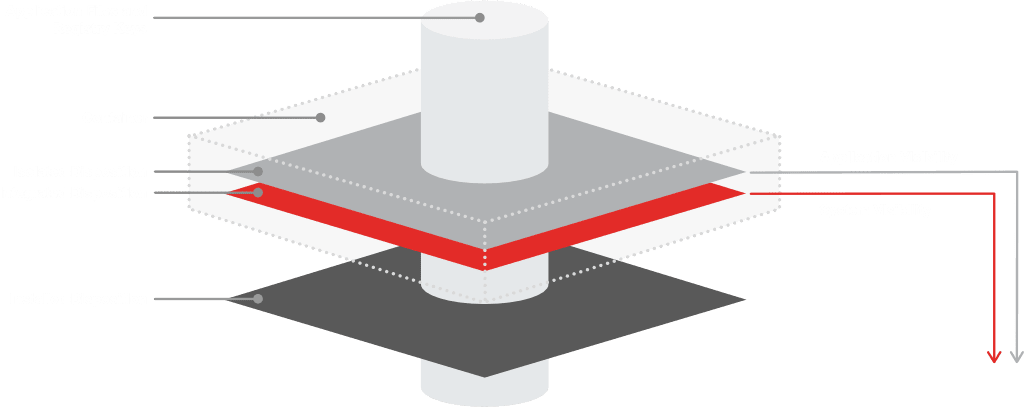
Cloudpaging abstracts applications from Windows OS, breaks them down into “pages” (instruction fragments), and packages them into a virtual sandbox. It provides unprecedented granularity over which application components you can isolate from or integrate to the system, from single files to entire applications. This enables even the most complex legacy applications to be packaged and provisioned to modern Windows OS with full functionality.
Read the guide
"We have one image that covers 95% of our use cases...it is absolutely possible to virtualize nearly every application"
MW
Mark West
Workspace Platforms Manager, Kingston University
Case Study
Kingston University
Higher Education · UK
- “Literally overnight” Windows 11 migration experience
- Achieved 96% application virtualization coverage
- Merged three faculties into a single IT umbrella
Go deeper
Additional Resources
WHITEPAPER
The highest rate of application compatibility, anywhere
Learn how our industry-leading container technology delivers a higher app-compatibility rate than any other delivery mechanism.
CASE STUDIES
Why enterprises trust Numecent to simplify packaging
Discover why Fortune 500 IT teams choose Cloudpaging AI to streamline application packaging and deployment.
BLOG
Accelerating Windows 365 Reserve Disaster Recovery with Cloudpager
How AI-packaged containers cut Cloud PC recovery time when an outage takes down primary AVD or W365 fleets.