
Windows 11
Ensure even your most complex legacy and custom applications can seamlessly run on the latest Windows desktop environments leveraging our Cloudpaging® application container technology.

Key Capabilities
Ensure All Your Applications Can Run on Windows 11
Windows 10 end of support arrived October 14, 2025. To ensure your organization remains secure and compliant without paying for extended support, all your applications need to be migrated to a supported Windows operating system. Cloudpaging enables you to lift and shift all your apps to Windows 11 and beyond.
Maximize Application Compatibility
Cloudpaging® ensures even your most complex legacy applications, including those with 16-bit installers, can be seamlessly packaged and deployed to the latest Windows desktop environments, including Windows 11 devices, Windows 365, Azure Virtual Desktop, and Citrix DaaS.
Automate Application Configurations
Automate lifecycle management and execute custom scripts at the application or group level, making applications more robust and adaptable than ever before.

Establish Dynamic Application Provisioning
Rapidly provision, update, rollback, and remove applications across physical and virtual Windows 11 endpoints in real time without requiring log outs or reboots, including those in active user sessions.
Report on Application Usage in Real Time
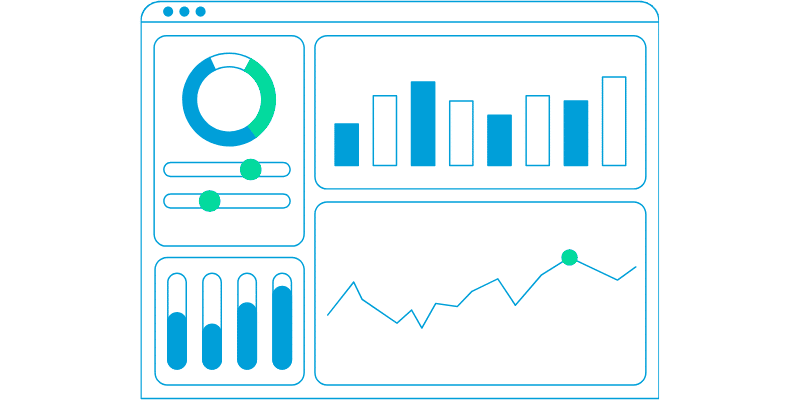
Track all application container usage without the need for additional reporting servers. This level of reporting is critical for effectively planning application migrations, including automation of application lifecycle management to make future migrations even easier.
Whitepaper
How to Securely Run Legacy Apps on Windows 11
Legacy applications serve business-critical functions for many enterprises. However, many of these applications have dependencies on unsupported operating systems, rendering organizations unable to successfully deploy them to Windows 11.
Discover how Cloudpaging® ensures even your most complex legacy applications, including those with 16-bit installers, can be seamlessly packaged and deployed to any modern Windows 11 desktop, VDI, or DaaS platform without sacrificing functionality or performance.

Featured Video
Simplify Complex Windows Application Deployment with Cloudpager
Cloudpager makes it easy for IT administrators of any tenure to deploy even the most complex and resource-intensive applications to employees pre-configured to where and how they work.
VIDEO · Windows 11
Simplify Complex Windows Application Deployments to Windows 365 with Cloudpager
Watch Rory Monaghan deploy resource-intensive applications like Autodesk Revit and Visual Studio alongside legacy applications like Family Tree (1994) to Windows 365 Cloud PCs in a matter of seconds with Cloudpager.
Cloudpager makes it easy for IT administrators of any tenure to deploy even the most complex and resource-intensive applications to employees pre-configured to where and how they work.
“We're going to Windows 11 on all devices we can. It will literally be an overnight experience”
MW
Mark West
Workspace Platforms Manager
Case Study
Kingston University
Higher Education · UK
- Lift and shift all containerized apps to modern OS
- Consolidated IT infrastructure for multiple faculty groups
- Automated application lifecycle management
Solutions
Key Use Cases
Cloudpaging’s approach to application virtualization fundamentally differs from traditional application virtualization and layering solutions. Applications are broken down into instruction fragments (“pages”) and dynamically provisioned directly to end users as needed.
Migrate Legacy Applications From Windows XP (and Earlier) to Windows 11
Application compatibility is a top concern of IT professionals as they contemplate their Windows 11 migration plans. Many companies still have legacy XP and older ISV applications which are critical to their lines of business but are not supported and will not run on Windows 11. Cloudpaging technology can be used to successfully migrate these applications.
Migrate In-House, Custom, and Bespoke Apps to Windows 11
A common issue is in-house applications developed for legacy OS that no longer have the original developer or support staff to maintain mission-critical software applications. For example, internal websites many still use ActiveX controls that are not compatible with Windows 11. Numecent customers have been successful leveraging Cloudpaging to migrate these applications to Windows 11 and extend their lifespan.
Isolate Troublesome Dependencies and Applications on Windows 11
Isolate troublesome dependencies, such as hardcoded file paths, while also providing support for services and drivers. This ensures even your most complex legacy, homegrown, in-house, and bespoke applications can be packaged and run alongside modern Windows 11 applications without compromising system security.
Lift and Shift to Any Windows 11 Desktop
Cloudpaging containers can be reused across any modern Windows desktop environment, so you don’t have to repackage applications for different devices or operating systems. This enables you to lift and shift to any physical or virtual Windows desktop environment whenever you would like, including Windows 365, Azure Virtual Desktop, Amazon WorkSpaces, Citrix VDI and DaaS, Omnissa Horizon, and more.
Maintain ISV Compliance
Meter and report on all Cloudpaged application activity, including application usage and user access. You can also automate software license policy enforcement to ensure end users do not exceed your maximum license count.
Reduce Complexity for IT Administrators
Application virtualization can be complicated for administrators who are not familiar with traditional virtualization solutions. Cloudpager provides a robust yet intuitive cloud console that ensures any application can run on all Windows 11 endpoints – including point-and-click AI Packaging and lifecycle automation capabilities.
Go deeper
Additional Resources
Webinar
How to Make Windows 11 Your Last True Application Migration
With Windows 10 end of support arriving October 14, 2025, now is the time to plan your migration. See how Cloudpager can help make this a virtually overnight experience for physical and virtual Windows endpoints.
WhitePaper
What is Cloudpaging?
Take a deep dive into Numecent’s Cloudpaging application container technology, enabling even the most complex legacy applications to seamlessly run on all modern Windows OS.