


We are delighted to bring further enhancements to Cloudpager to help our customers automate their workflows with the release of Cloudpager PowerShell Module 1.4. The Cloudpager PowerShell module, which was released over 2 years ago, has been updated to extend capabilities to some of the latest features. This includes the ability to create Trust Policies for machine targeting and OS targeting purposes, as well as creating App Attach Storefronts.
This blog outlines how to leverage the Cloudpager API, as well as the latest cmdlets introduced in Cloudpager PowerShell Module 1.4.
Why Automate with the Cloudpager API?
Our Cloudpager API and PowerShell Module enable you to automate the application lifecycle, from application packaging to deployment.
Upon the release of a new application version, you can automatically package it into a Cloudpaging application container and auto-deploy it to a set of employees via Cloudpager Workpods.
Support teams can also leverage our automation capabilities. For example, if an application hasn’t properly deployed to an employee due the employee not being in the correct group, they can add them to the group and force a Workpod sync for specific endpoints. They can also automate the pull of usage data for creating custom reports in Power BI.
It has been humbling and inspiring to see how administrators have derived value from these utilities.
How to Automate with the Cloudpager API
To get started with the Cloudpager PowerShell module, first download the PowerShell module from the Numecent customer portal and install the module on your desktop of choice. When ready, create an API Key in Cloudpager by navigating to Settings–>API Keys and click Add.
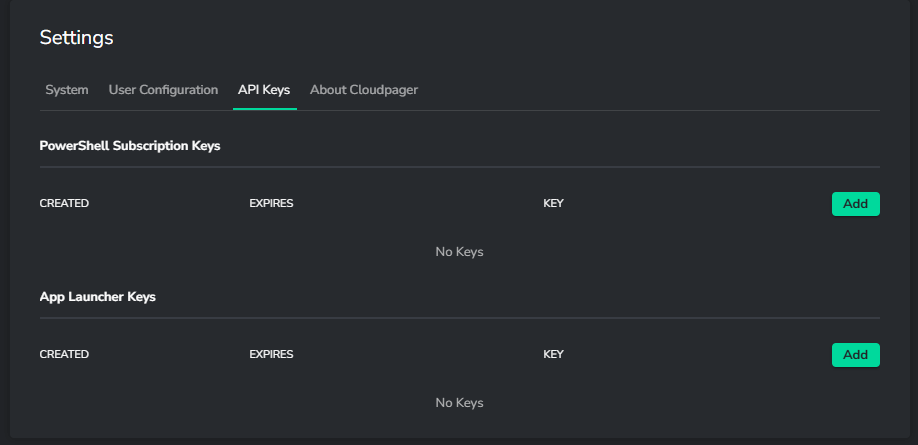
You can Add up to 5 API Keys or App Launcher Keys. App Launcher Keys can be used when you wish to publish applications for use in platforms such as Citrix Virtual Apps and Desktops, Microsoft RemoteApp, Omnissa Workspace One, Parallels RAS etc.
The Subscription Keys may be used for your automated workflows such as your end-to-end lifecycle management purposes. When creating a new key, you can set an expiration date and time.
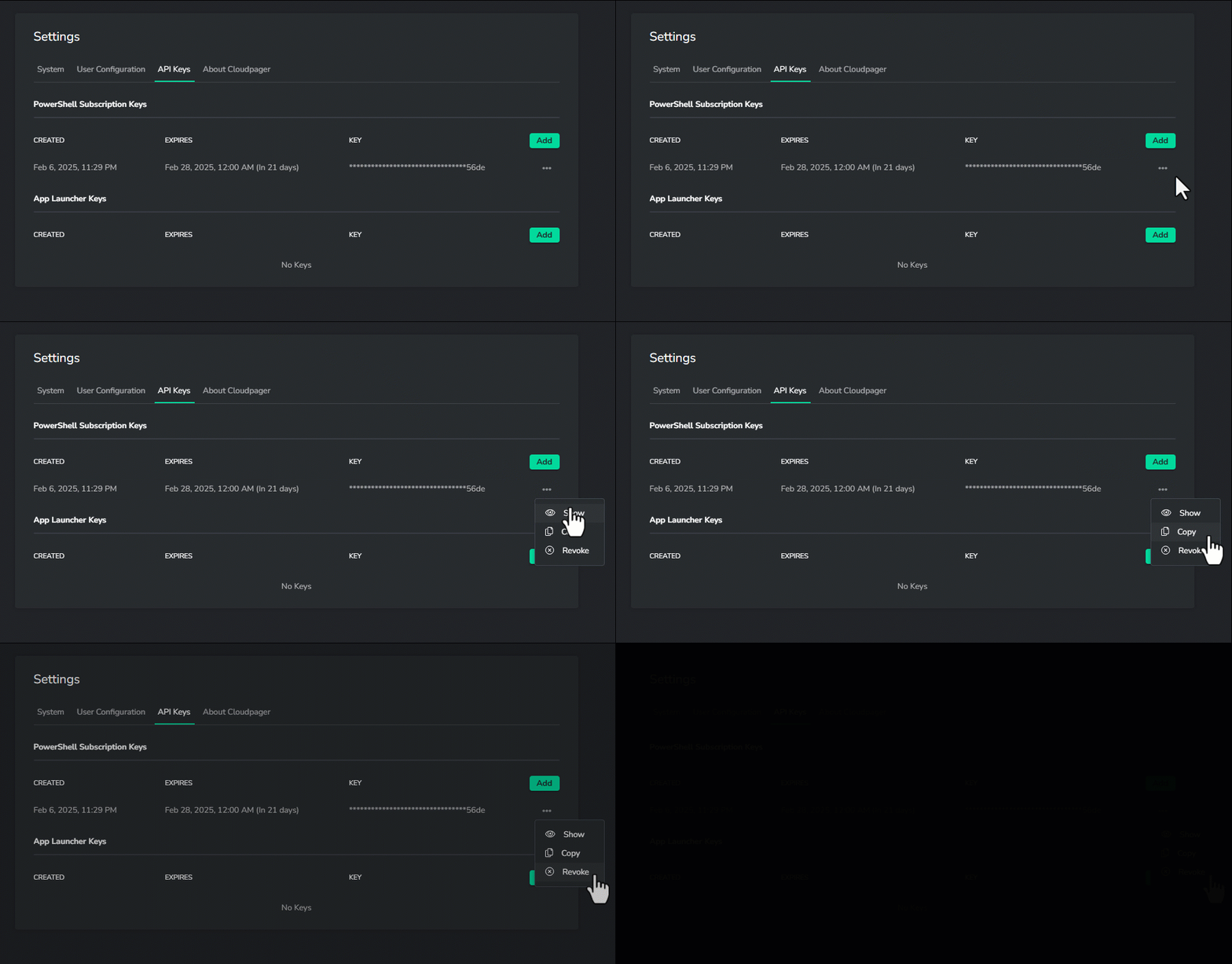
You can choose to show an existing API key, copy the key and importantly, Revoke a key at any time.
With the PowerShell module installed and your API key on hand, you are ready to run some PowerShell cmdlets.
Cloudpager Automation Examples
Of course, there are cmdlets that have been available in the module since day 1, such as the ability to get application information from your Cloudpager tenants, create a Workpod, pull usage report data, and more. If this is your first time using the Module, a good place to start is perhaps querying a Workpod.
Get-CloudpagingWorkpod –Name <Name of an existing Workpod>
If you would like to create a Workpod, you can do this with the Add-CloudpagerWorkpod cmdlet. You find examples of these cmdlets and other existing cmdlets in our previous blog post, Automating the Application Lifecycle with the Cloudpager PowerShell Module.
Using Some of the Newest Cloudpager Features via the API
In the video below, we walk through managing API keys in Cloudpager and creating an App attach Storefront using the latest PowerShell module. It is also possible to create Trust Policies with the latest version of the PowerShell module. To do this, simply use the Add-CloudpagerTrustPolicy cmdlet. You can use this for setting a Trust Policy to restrict an application to set Operating System versions, a certain device group or both.
If you would like to learn more about the cmdlets and their parameters, use the Get-Help cmdlet!
Cmdlets Updates and Additions in PowerShell Module 1.4
With the release of Cloudpager PowerShell Module 1.4, we have added significantly more cmdlets for customers to leverage.
Using PowerShell Subscription Keys
Set-CloudpagerSubscriptionKey
This command has been updated to support the managed PowerShell Subscription Keys added in Cloudpager 1.3.5 and above. These keys can be accessed in the API Key Settings Page.
Managing Cloudpager Storefronts
Add-CloudpagerStorefront
This command accepts a target parameter specifying either “Cloudpaging” or “App Attach” Storefront type. If not specified, the Storefront type will default to “Cloudpaging”.
Get-CloudpagerStorefront
This command retrieves all Storefronts or optioinally “Cloudpaging” or “App Attach” Storefronts, if Storefront type is specified.
Set-CloudpagerStorefront
This command has been updated to support both “Cloudpaging” and “App Attach” Storefront types.
Managing Cloudpager Policies
Get-CloudpagerTrustPolicySupportedOSVersion
This new command will retrieve IDs for the supported OS versions that can be used to construct Trust Policies.
Add-CloudpagerTrustPolicy
Set-CloudpagerTrustPolicy
Get-CloudpagerTrustPolicy
These new commands allow adding, updating, or retrieving Trust Policies.
Add-CloudpagerSAMDPolicy
Set-CloudpagerSAMDPolicy
Get-CloudpagerSAMDPolicy
These new commands allow adding, updating, or retrieving SAMD Policies.
Add-CloudpagerWorkpod
Set-CloudpagerWorkpod
Get-CloudpagerStorefront
Set-CloudpagerStorefront
These commands have been updated to support Trust Policies and SAMD Policies for Workpods and Storefronts.
Start Leveraging Cloudpager PowerShell Module 1.4 Today!
As we bring more enhancements to Cloudpager, we will also reflect these enhancements in the PowerShell module to ensure our customers can continue to automate all application management processes and the entire application lifecycle.
Be sure to sign up for our email list below to be the first to hear of our upcoming announcements of even more automation capabilities:


