


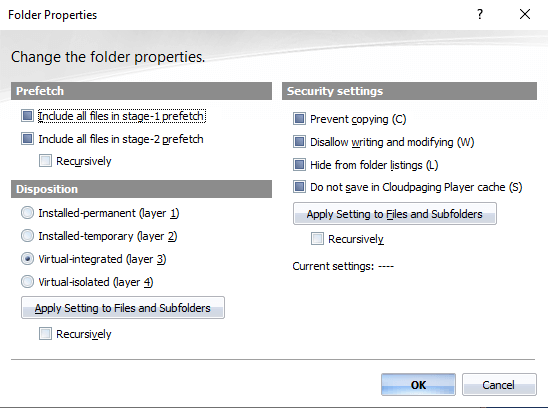
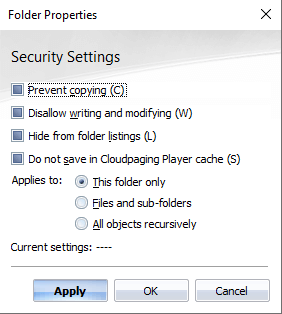
Our commitment to simplifying the mobilization and management of Windows desktop applications starts with the packaging process. The updates to Cloudpaging Studio 9.4.1 start with Properties. Previously, all options – Prefetch, Disposition, and “Security Settings” – were bundled together in a single Folder Properties dialog box (see Figure 1).
How to Editing Properties Works in Cloudpaging Studio 9.4.1
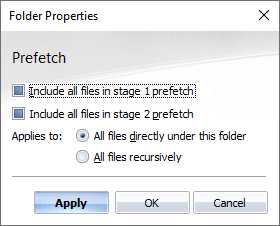
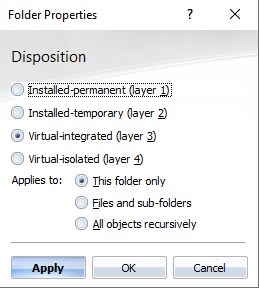
Cloudpaging Studio 9.4.1 introduces a more intuitive interface for editing properties. Now, the navigation pane gives you the option to select which property you would like to edit. The UI now splits into three separate dialog boxes (see Figure 2 below).
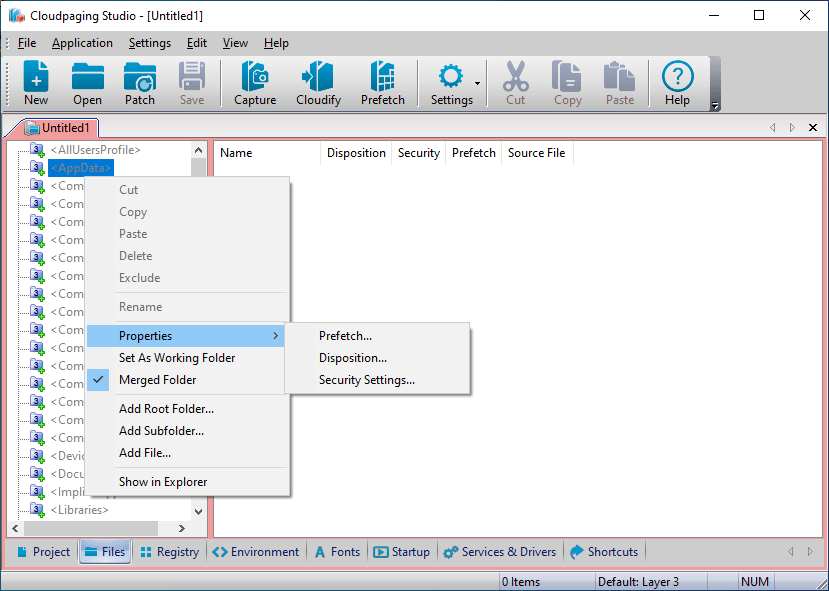
The new dialog boxes make it easier to implement edits to Prefetch, Disposition, and Security Settings. It’s now easier to specify whether you want to apply settings to files in the folder or all files in all sub-folders. As you can see below, each dialog box containers Apply, OK, and Cancel.
Upon selecting Apply you keep the dialog box open but changes will be applied. If you select OK, changes will be applied and the dialog box will be closed. If you select Cancel, no changes are made and the dialog box closes.
Command Line Interface Enhancements
Security Setting Modifications
We enhanced the Cloudpaging Studio interface by adding a new Command Line parameter to allow for modifying security setting attribute on the main command line executable.
In Cloudpaging Studio, each application container has its own command line. This is the main executable required to run the application. For example, if you have a package for Photoshop, the command line may be something like photoshop.exe.
Cloudpaging Studio adds an additional layer of security onto applications through our container security settings. With the release of Cloudpaging Studio 9.4.1, you have a more programmable method to update security settings without having to utilize the Studio UI (e.g., leverage a Batch file or PowerShell script to update the settings).
Shortcut Extractions
Shortcuts were a new feature released in Cloudpaging Studio 9.4.0. We’ve enhanced the current CLI command for extraction to output Shortcut data from existing appsets. This is useful for troubleshooting. If someone is trying to figure out what they have in their appsets, they no longer have to navigate the UI where there may be hundreds (or thousands) of applications within the tool.
Now, you can simply run a command line prompt to extract information about the Shortcuts including
- Shortcut name
- Shortcut description
- Path of the shortcut
- Target of the executable
- Working directory
- Shortcut icon
Getting Started with Cloudpaging Player 9.4.1
The latest version of Cloudpaging Studio is available in the Numecent Download Portal. If you do not have an account or have lost your account details, please contact Support.
Stay Up to Date
For all the latest on Numecent product releases, container management, and more, subscribe to our newsletter below:


