


One feature our customers love about Cloudpager is that it administrators for comments when taking administrative actions, which are all saved to the platform. Many of our customers use these prompts to align with their existing change control processes. With the release of the new Cloudpager Audit log feature, it is even easier for administrators to view and export this data.
Easily Track All Actions Taken on Cloudpager
Even prior to the release of the Audit Logs feature, our customers have greatly benefited from the logging of actions taken on the platform. When using Workpods, which allow customers to logically group applications and deploy them to Entra ID (formerly Azure AD) security groups and users, you can view the Revision History (see Figure 1).
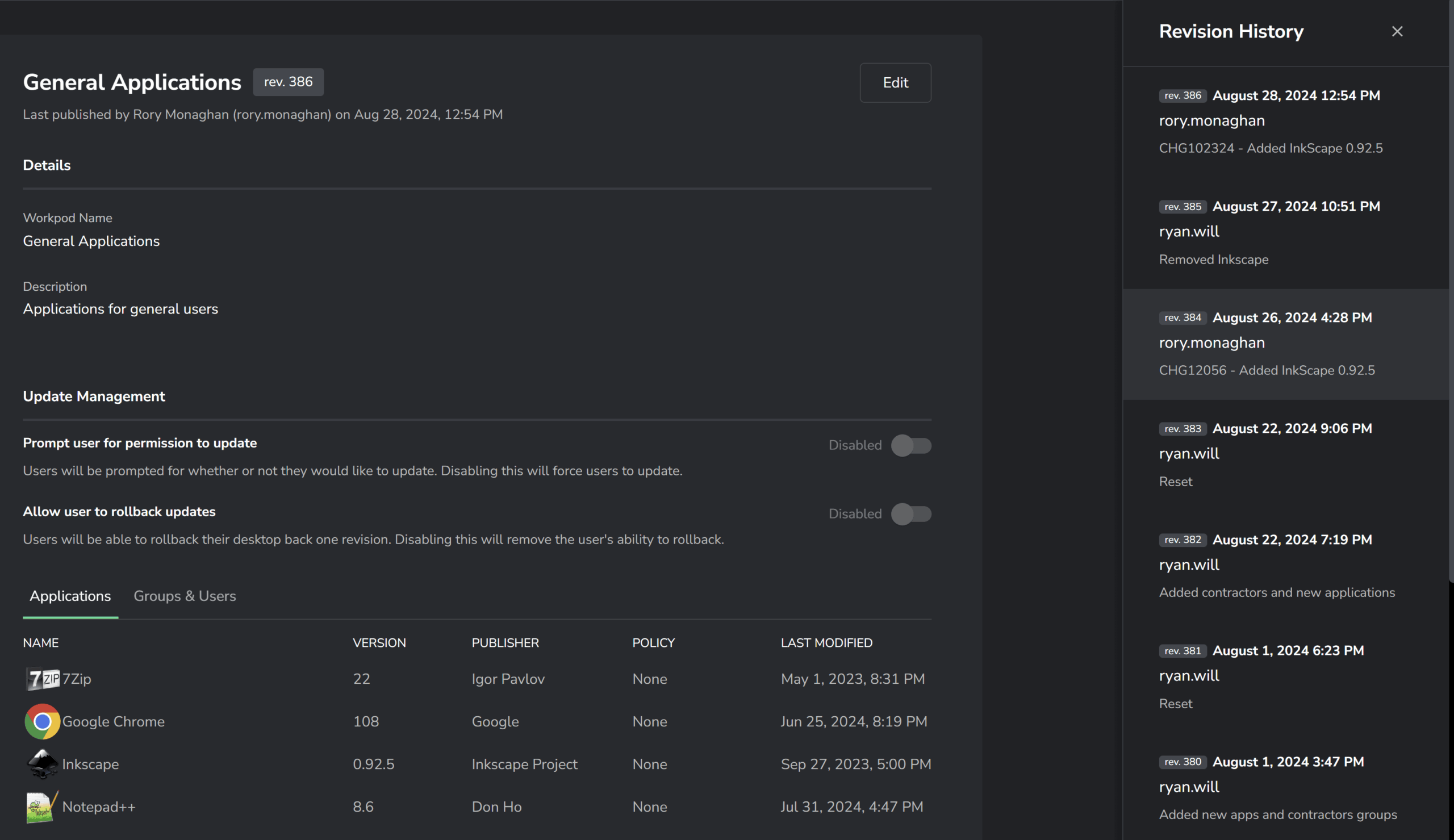
Doing so highlights all revisions made to the Workpod. As you can see, the comments entered can be used to describe the state of the Workpod at the time of the revision. Doing so makes it easy for Admins to make informed decisions when copying or rolling back existing Workpods.
While this function is great, the new Audit Log feature adds greater security and visibility. Our customers want to be able to view changes made by Administrators to validate the integrity of their processes and systems.
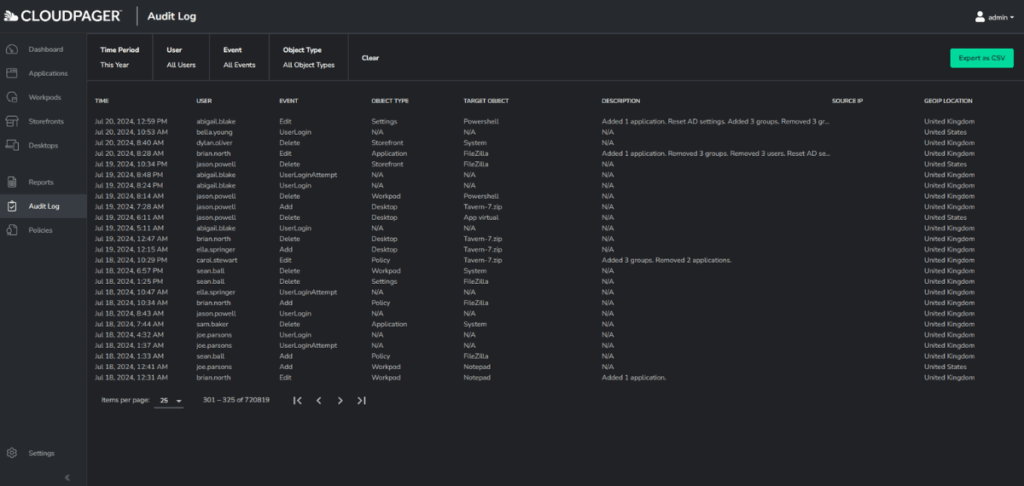
Within the new Audit Log tab, you have a more accessible and comprehensive view of all tracked changes on Cloudpager. You can easily filter the audit logs by Time Period, User, Event and Object Type. These insights better equip you to validate whether actions taken on the platform adhere to organizational policies.
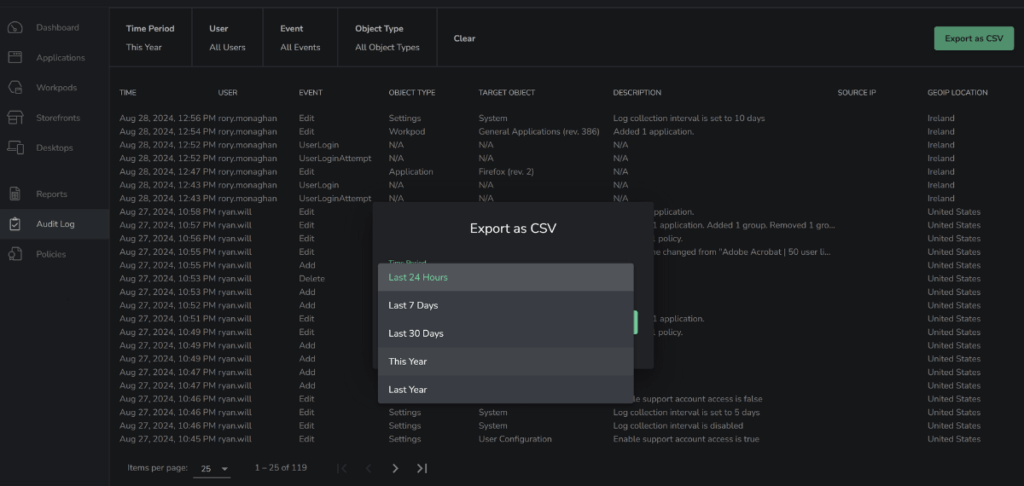
If you want to view outside the Cloudpager administrative console, the Audit Log feature makes it easy to export data as a CSV. This data can then be seamlessly ingested into existing analytics tools such as Splunk, Power BI, and more, simplifying the inclusion of these insights into existing dashboards and security workflows.
Conclusion
In the current enterprise IT landscape, it is more important than ever to maintain visibility and tight control over systems and processes. With the release of our new Audit Log feature, we are further simplifying the management of your application estate with expanded insights and data accessibility across the platform.
See Cloudpager in Action!
Want to see what Cloudpager can in a live setting? Request a demonstration with our Solutions Architects and see the power of extending DevOps capabilities to the management of Windows desktop applications with our groundbreaking container technology.


