


Virtual desktop infrastructure (VDI) and desktop-as-a-service (DaaS) adoption continues to accelerate as enterprises seek long-term solutions for remote and hybrid workforces. Solutions such as Azure Virtual Desktop, Windows 365, Citrix DaaS, Amazon WorkSpaces, and VMware Horizon provide robust solutions for enterprises with highly distributed workforces. However, due to the happenings of the past few years many organizations sacrificed operational and cost efficiency – particularly around virtual desktop image management – for the sake of business continuity.
Now that remote operations and virtual desktop solutions have continued to mature, it is time to turn our sights to the long-term. This blog demonstrates how to reduce manual administration associated with traditional approaches to virtual desktop image management with Cloudpager, saving you and your team a lot of time and money.
Traditional approaches to image management are costly and time consuming
The past few years forced many enterprises to establish net-new remote IT operations as fast as possible. Naturally, the fastest way to do so was extend traditional approaches to application provisioning and image management to virtual desktop solutions.
This led many to create multiple clusters and application silos, manage several base images, and natively install applications within their virtual desktop environments. Not only does that lead to storage bloat and increased costs, but it requires far more administrative overhead than necessary.
Simplify virtual desktop image management with Cloudpager
Delivered as a fully managed software-as-a-service (SaaS) solution, Cloudpager is the first and only application container management platform for Windows desktops. So, what does that mean? For starters, it means taking a modern (and much easier) approach to managing desktop application deployments.
Centralize all your applications in the cloud
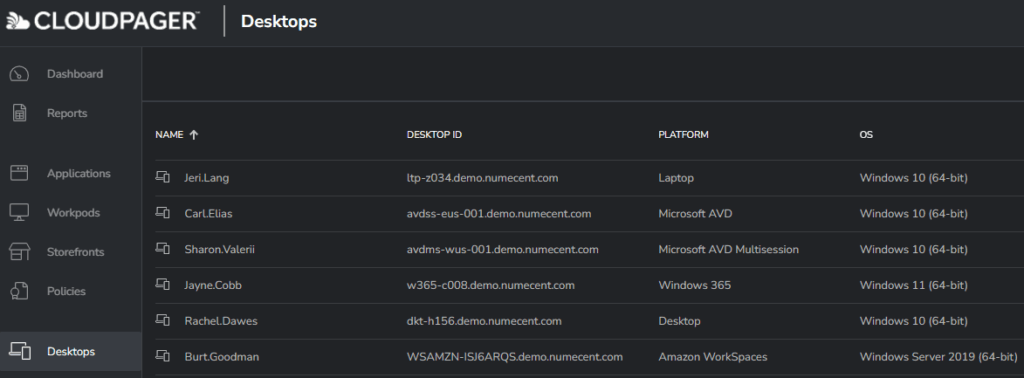
Cloudpaging containers ensure all your applications, including the most complex legacy and custom applications, can seamlessly run on any modern desktop environment – including Azure Virtual Desktop (including Windows 10 and 11 Enterprise multi-session, the least expensive AVD environment), Windows 365, Citrix DaaS, Amazon WorkSpaces, VMware Horizon, physical desktops, laptops, and more.
Already have applications packaged with App-V and/or MSIX? No worries. You can simply drag and drop all your application containers to the Cloudpager management console and they are ready to deploy to your end users.
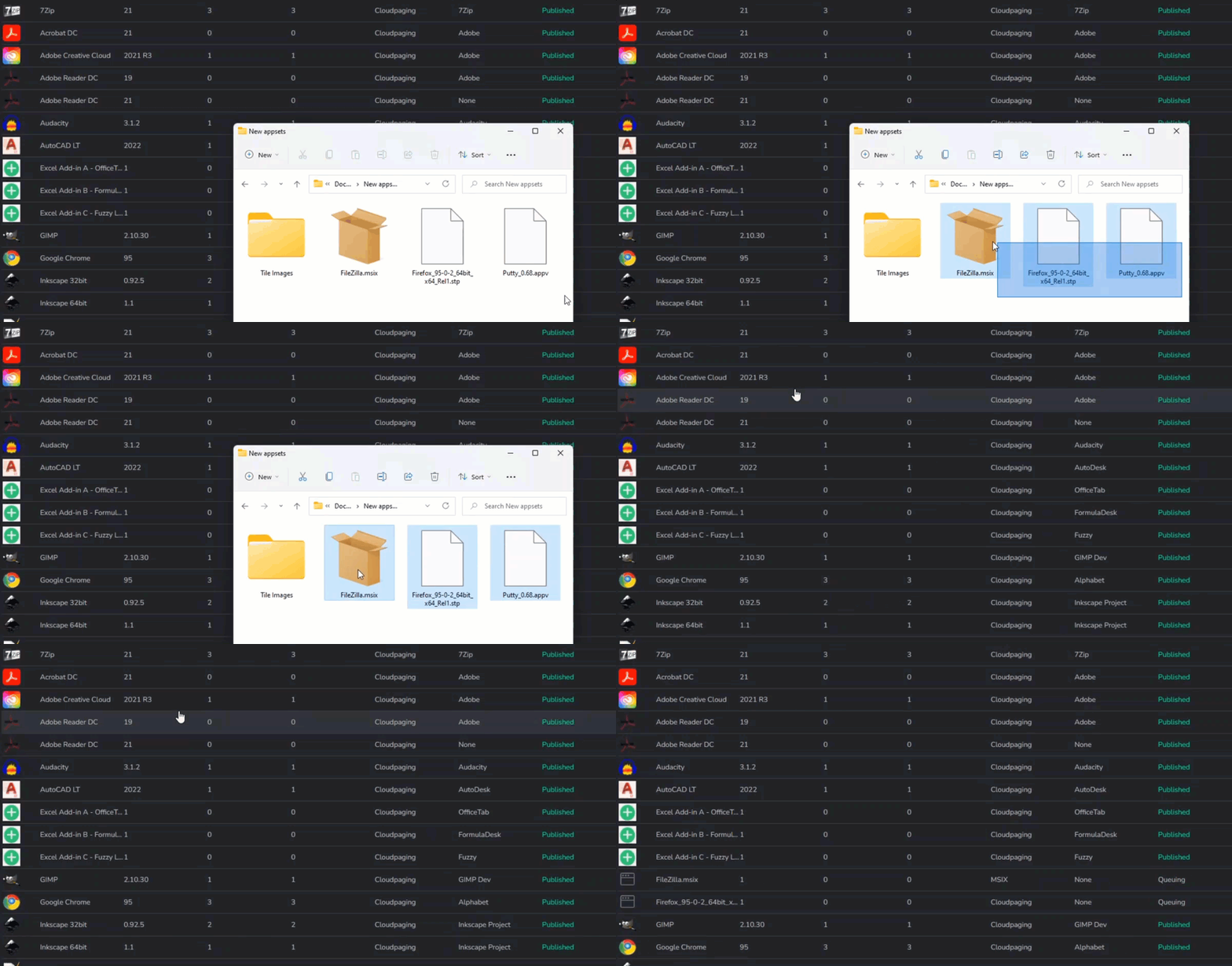
Because Cloudpager is platform agnostic, you can seamlessly deploy all your application containers across your cloud, on-premises, or hybrid/multi-cloud desktop environment from an intuitive cloud management console.
Standardize on a single golden image
Cloudpaging containers enable you to abstract applications out of your base images. Since they are virtualized on a per-user basis, Cloudpaged applications can be dynamically provisioned to end users and co-exist with other versions of the same application on shared virtual desktops. As a result, you no longer have to maintain multiple clusters or application silos to accommodate conflicting or specialized applications.
Now administrators can just focus on application containers themselves. Rather than reimage desktops for any given update, IT merely has to patch application containers and redeploy them to end users.
Dynamically provision applications and updates to Azure AD groups and users
Cloudpager integrates to Azure Active Directory (Azure AD), enabling you to dynamically provision new applications and updates directly to assigned Azure AD groups and users – including those in active sessions – without requiring installations, reboots, or logging out.
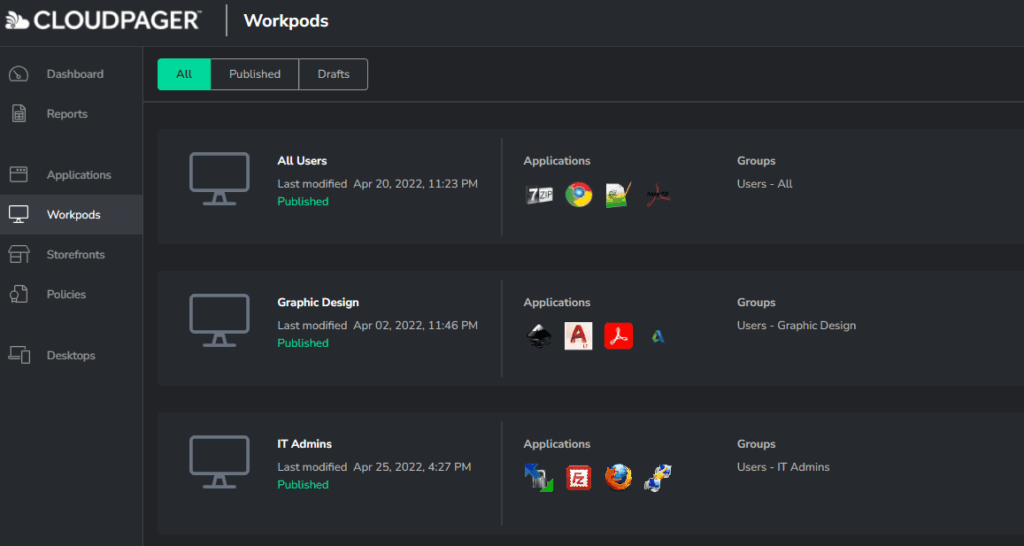
You can leverage Workpods to auto-deploy applications and their configurations based on work activities or solutions (e.g., new contractors during onboarding). Applications deployed via Workpods will operate as if natively installed on end user devices, with their shortcuts appearing in the Start Menu or Desktop.
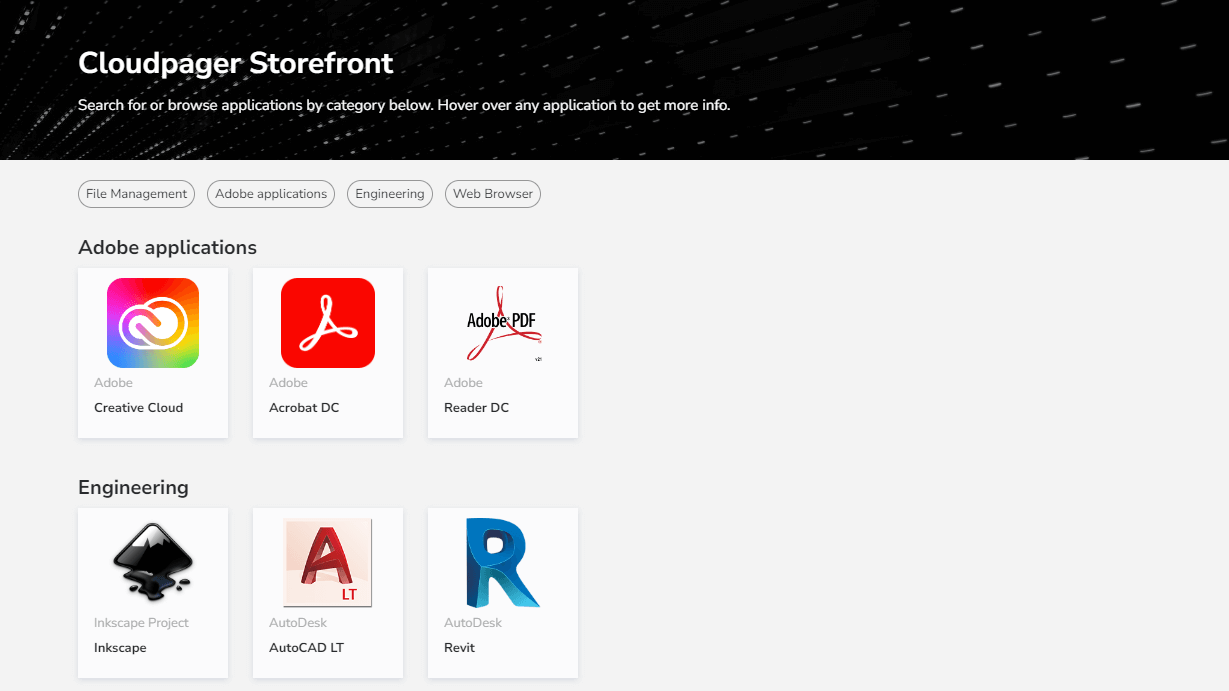
You can also provide end users with self-service access to applications by creating Storefronts. The Storefront also provides end users with the ability to instantly roll back application versions with the push of a button.
Summary
Cloudpager enables you to rapidly modernize desktop IT operations by providing a fully managed, cloud-native container management platform for Windows desktops. By virtualizing applications on a per-user basis with Cloudpaging and centralizing them in the cloud, you can:
- Separate applications from images
- Achieve a single golden image to service your entire desktop estate
- Dynamically provision applications and updates to any physical or virtual Windows desktop
- Publish multiple application versions to the same VM
- Reduce the time required to add VM capacity
See Cloudpager in Action
Schedule a demonstration of Cloudpager to see how easy it is to simplify the mobilization and management of Windows applications across modern desktop and multi-cloud environments. Our Solutions Architects can demonstrate how to go from application upload to deployment on Azure Virtual Desktop, Windows 365, Citrix DaaS and VDI, and more within 15 minutes.
Request Demo

